This article covers how to get help signing up, signing in and using the BBC iPlayer app on BT TV.
How to find the BBC iPlayer app
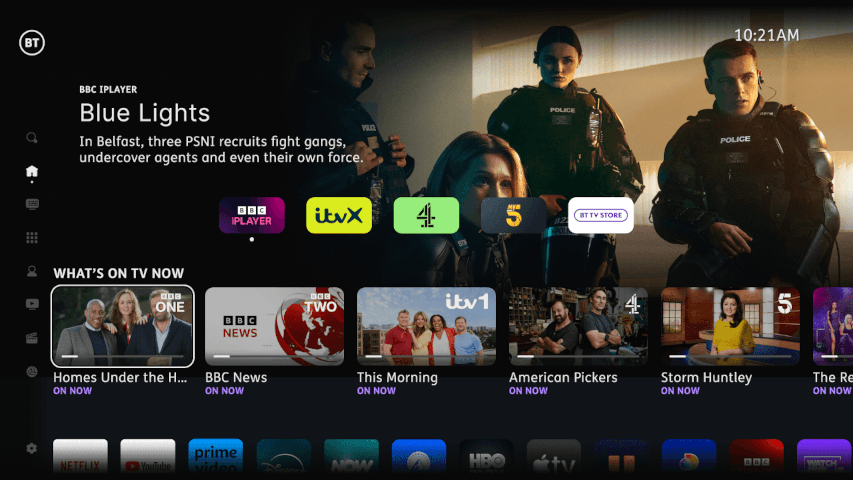
You can find BBC iPlayer in the apps rail and apps page on your BT TV Box.
You can also find BBC iPlayer content in the BT TV search.
Using a BBC account to watch iPlayer on BT TV
You'll need a BBC account and a TV licence to watch BBC iPlayer on BT TV.
Open the BBC iPlayer app on your BT TV box:
- Press the Sign In button.
- You should see a screen asking you to use a second device to sign in.
- At the bottom of the screen, it should say, "Don't have a mobile, tablet or computer? Press down." Press down on your remote control.
- Follow the on-screen instructions to get access to BBC iPlayer.
Recordings
BBC programmes that you record in Internet Mode will play automatically from the BBC iPlayer app.
This means that you’ll always get your full recording (even if you set the recording after the programme has started) and in the highest quality. Finding programmes you love will also be easier, as iPlayer has features such as ‘more like this’ and the ability to show you previous or future episodes of what you have recorded.
Before you start recording:
- You’ll need an account with the BBC to watch your programme.
- Not all programmes are available on BBC iPlayer, like regional news, films and sporting events. If a recording isn’t in iPlayer, it will be shown as unavailable after the programme has aired.
- It can take up to 15 minutes for your programme to become available after it finishes. This depends on whether the programme was pre-recorded or broadcast live.
- Programmes will expire, and availability may vary. Programmes like news bulletins may expire after 24 hours, while other programmes like dramas and documentaries will be available for up to 365 days.
Parental controls
The parental control settings are controlled using your BT TV service and not within the BBC iPlayer app.
See our dedicated parental controls and PIN page for more information.
Help and support with BBC iPlayer on BT TV
If you have issues with the app or content, you can find help and support at BBC iPlayer Help.
If you think you may have an issue with your BT TV service, visit BT TV Help.